Best Parental Control App for Android – After Testing the Top 3

Lauren Sakiyama
Writer
View full bio
Brandon King
Editor
View full bio

TL;DR

After hands-on testing, Aura is the best parental control app for Android if you want the most complete protection — especially for families who need more than just child monitoring. It blocks content across 28 categories, integrates seamlessly with Android devices, and takes only minutes to set up.

But it’s not one-size-fits-all. Bark is the better pick for parents who want to respect their child’s growing independence without going silent, while Qustodio shines when location monitoring and real-time tracking are your top priorities. Below, we break down exactly what each app does best — so you can pick the one that actually fits your family.

Best for Teens

BarkBark

Privacy-respecting monitoring that alerts you only when it matters

30+Platforms
~45mSetup time
$14Per month
  • ✅ Monitors 30+ platforms with AI
  • ✅ Text, email & DM monitoring
  • ✅ Location check-in feature
  • ✅ Screen time schedules + pause
  • ❌ No full content blocking
Get Bark — 20% OFF Use code SHERO20 ~$14/month · Unlimited devices
Best for Location Safety

QustodioQustodio

Real-time GPS, panic button & custom scheduling for active kids

GPSReal-time
30dFree trial
$100Per year
  • ✅ Real-time GPS + geo-fencing
  • ✅ Panic button (Android)
  • ✅ Text message monitoring
  • ✅ Custom daily/weekly schedules
  • ✅ 30-day free trial
Get Qustodio — 10% OFF Use code FESTIVE10 ~$100/year · Basic plan available

How We Tested

We didn’t just read feature pages. We put these apps in the hands of real Android families with kids ranging from elementary school age through high school, then tracked what happened over several weeks of daily use.

Here’s what we focused on:

Real-World Performance

  • How each app behaved across common Android devices and versions
  • Whether alerts fired when they should — and stayed quiet when they shouldn’t
  • How kids actually responded to each type of monitoring

Technical Deep-Dive

  • Setup time and difficulty for non-tech parents
  • Android compatibility and stability after system updates
  • Content filtering accuracy across apps, browsers, and social platforms
  • Pricing transparency and value

The goal wasn’t to find the app with the longest feature list. It was to find the apps that genuinely help parents keep kids safer — without turning your household into a surveillance state.

Best Parental Control Apps for Android: Head-to-Head Features Comparison

Bark vs. Qustodio vs. Aura

FeatureBarkQustodioAura
Best ForPrivacy-respecting monitoringLocation tracking & safetyContent blocking & whole-family protection
Content Filtering17 alert categoriesFlexible, with alerts28 blocking categories
Location TrackingLimited✅ Best-in-classBasic
Blocking❌ Monitors onlyPartial✅ Full blocking
Text Monitoring✅ Yes✅ Yes❌ Not included
Screen Time Controls✅ Schedule + pause✅ Flexible scheduling✅ Limits + one-tap pause
Emergency / Panic Button✅ Yes
Setup DifficultyMediumEasy – MediumEasy
Adult Identity Protection✅ Included
Customer SupportEmail / ChatEmail / Chat✅ 24/7 Phone
Get Bark — 20% OFF
Use code SHERO20
Get Qustodio
10% OFF
SAVE 60% OFF
Aura Parental Controls

Bottom Line: Bark is best for privacy-first monitoring with older kids. Qustodio is best for location safety and real-time tracking. Aura is best for full content blocking and whole-family digital protection.

Who Should Use a Parental Control App for Android?

Perfect for:

  • Your child recently got their first smartphone and you want guardrails from day one
  • You’ve noticed behavioral changes that might be connected to online activity
  • Your teenager is pushing for more independence and you want to balance freedom with safety
  • You’re concerned about specific online risks — cyberbullying, explicit content, dangerous apps, or stranger contact
  • You want to reduce screen time without turning every evening into a negotiation

Not Ideal For:

  • Your child is very young and hasn’t started using a smartphone or tablet yet (built-in device controls may be enough for now)
  • You’re looking for 100% passive monitoring with zero child awareness (most experts actually recommend transparency about monitoring)

The right app depends on your biggest concern:

  • Choose Bark if your child is older, you value their privacy, and you want to stay informed without hovering
  • Choose Qustodio if safety and location awareness are your top priorities — especially for younger kids in complex situations
  • Choose Aura if you want the strongest content filtering available, combined with whole-family digital protection under one subscription

The 3 Best Parental Control Apps for Android

1. Bark — Best for Respecting Your Child’s Privacy While Staying Alert

Our Rating: 4.7/5 — Best for Independence-Minded Parents

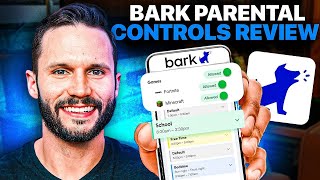
If you’ve been searching for a parental control app that doesn’t make you feel like you’re reading your child’s diary, Bark was built for exactly that tension. It doesn’t block content by default, and it doesn’t hand you a raw feed of every text your kid sends. Instead, it monitors for warning signs and alerts you when something actually warrants your attention.

Bark scans activity across 17 different content categories — things like cyberbullying, depression, sexual content, and drug references — and flags potential issues rather than blocking them. You can adjust the sensitivity within each category based on your family’s values. Stricter in some areas, more relaxed in others. That flexibility is rare.

What makes Bark stand out:

  • Alerts you to real risks without constant content blocking
  • Covers 17 content monitoring categories with adjustable sensitivity
  • Screen time scheduling lets you pause internet access at bedtime
  • Designed for parents who want oversight without micromanaging
  • Encourages conversations instead of just restrictions

Get Bark with code SHERO20 for 20% OFF

One honest caveat: The setup process takes more effort than the other apps on this list. You’ll need to connect Bark to your child’s various accounts and email platforms individually, which takes time upfront. But once it’s running, it runs quietly — and that’s kind of the point.

Bark is the right call for parents of tweens or teens who need a monitoring layer without turning trust into a casualty. If your kid is starting to push for more freedom online, Bark lets you give them that freedom while keeping a safety net in place.

2. Qustodio — Best for Location Monitoring and Real-Time Safety

Our Rating: 4.8/5 — Best for Families on the Move

Qustodio does a lot well, but its location features are genuinely in a class of their own among Android parental control apps. If your child takes the bus to school, plays sports across town, or you simply want to know where they are without texting every hour — this is the app for your family.

The real-time GPS tracking is accurate and reliable. But what sets Qustodio apart isn’t just knowing where your child is — it’s the geo-fence alerts. You set up zones like “home,” “school,” or “Grandma’s house,” and get notified the moment your child enters or leaves. No manual check-ins required.

Then there’s the panic button. If your child ever feels unsafe, one press sends you their location every five minutes until you disable it. You can set up the SOS to reach multiple contacts simultaneously — your spouse, a grandparent, a trusted neighbor — so if you’re unreachable, someone who can help will always get the alert.

What makes Qustodio stand out:

  • Real-time GPS tracking with accurate, reliable location data
  • Geo-fence alerts for home, school, and custom locations
  • Panic button that pings trusted contacts every 5 minutes during an emergency
  • Flexible scheduling — block apps during school, loosen restrictions on weekends
  • Text message monitoring to help guide appropriate communication
  • Gradually ease restrictions as your child earns more trust

Use code FESTIVE10 to Get 10% off Qustodio

Beyond location, Qustodio also monitors text messages — which becomes increasingly important the moment your kid discovers group chats. It doesn’t just show you what’s being said; it gives you a teaching tool. You can use flagged conversations as starting points for real discussions about what’s appropriate versus what isn’t.

The app also sends alerts when specific types of content are accessed rather than blocking everything outright, which strikes a healthy balance between protection and independence.

3. Aura — Best for Website Blocking, Social Media Filtering, and Whole-Family Protection

Our Rating: 5/5 — Best Overall Android Parental Control App

If your main concern is what your child is accessing online — the websites, the social media rabbit holes, the apps they’re using while you’re not watching — Aura is the most thorough option available for Android.

Setup is simple. Within minutes, a dedicated Child Mode activates the highest level of content filtering automatically. Aura blocks most inappropriate content right out of the box — adult websites, explicit language, violent content — and then gives you 28 content categories to fine-tune exactly what gets through and what doesn’t. That level of specificity is almost unmatched.

What makes Aura stand out:

  • Content filtering across 28 categories — the most comprehensive we tested
  • Automatic blocking of adult themes, inappropriate language, and violent content
  • Dedicated Child Mode for immediate, high-level protection
  • Blocks social media and email apps before your child is ready for them
  • Seamlessly integrates with other apps already installed on your child’s device
  • Daily screen time limits and one-tap internet pause for distraction-free family time
  • Centralized dashboard to manage every device from one place

Get 60% OFF on AURA Parental Control App

Social media blocking deserves a special mention. Aura doesn’t just filter content within social apps — it can prevent access to them entirely. If your eight-year-old shouldn’t be on TikTok, they won’t be on TikTok. That’s a meaningful distinction from apps that merely monitor what’s being seen.

The feature that puts Aura in a category of its own: The Family Suite. For an affordable monthly price, you don’t just get parental controls — every adult in the family gets identity theft protection, data broker removal, and access to a centralized security dashboard. While other apps only protect your kids, Aura recognizes that the whole household is a digital target. That all-in-one value is genuinely hard to argue with.

And if you ever run into trouble? Aura’s customer support is available by phone, around the clock, and you’ll reach an actual person quickly. For parents who aren’t tech experts, that matters more than most feature lists.

Common Questions About Android Parental Control Apps

What is the best free parental control app for Android? Most of the best Android parental control apps require a subscription for full functionality. Google Family Link is free and handles basics well, but it lacks the depth of Bark, Qustodio, or Aura — especially for older kids who can work around simple restrictions.

Can my child bypass parental control apps on Android? It depends on the app. Apps that rely solely on Android’s built-in settings are easier to circumvent. Bark, Qustodio, and Aura all use methods that are significantly harder for kids to work around, though no app is completely bypass-proof.

Does a parental control app slow down an Android phone? In our testing, none of the three apps caused noticeable performance issues on modern Android devices. Background battery use is minimal.

At what age should I start using parental controls? Most child safety experts recommend having controls in place from the moment a child gets their own device — regardless of age. It’s much easier to start with guardrails and loosen them over time than to introduce monitoring after problems arise.

Final Verdict: Best Parental Control App for Android in 2026

Finding the right parental control app for Android isn’t about picking the one with the most features — it’s about matching the app to your family’s actual needs.

Choose Bark if you want to stay informed without invading your child’s privacy. It’s built for parents who understand that trust matters and want monitoring that supports open conversations rather than replacing them.

Get Bark with code SHERO20 for 20% OFF

Choose Qustodio if your child’s physical whereabouts are as important as what they’re doing online. The location tracking, geo-fencing, and panic button features are the best we’ve tested in this category.

Use code FESTIVE10 to Get 10% off Qustodio

Choose Aura if comprehensive content blocking, ease of setup, and whole-family security under one plan are your priorities. It’s the most complete solution — and frankly, the best value when you factor in what the Family Suite includes for adults.

Get 60% OFF on AURA Parental Control App

Any of these three apps will do more for your child’s online safety than doing nothing. Pick the one that fits your parenting style, set it up this week, and adjust as you go. Your future self will thank you.

Related Articles:

Disclosure: Some links on this page are affiliate links. We may earn a commission if you sign up through them, at no extra cost to you. This never influences our editorial ratings or recommendations. Learn more.